# Flux as a Service... for free!

## Flux as a Service ... _for free!_
In our [previous article](https://blog.qryn.dev/fluxpipe-serverless-flux-influxdb) we squeezed [Flux_(lib)_](https://docs.influxdata.com/flux/v0.x/) into a stand-alone, serverless-ready function serving query results in milliseconds. _But not everything has to be serverless!_
**[Fluxpipe-server](https://github.com/metrico/fluxpipe)** is also available as _static binary_ and _Docker image_.
Let's use it to launch a **free forever** Fluxpipe instance using [fly.io](http://fly.io)
### TLDR; Here's a [Live Demo](https://fluxpipe.fly.dev)
☝️☝️☝️ This is not an image ☝️☝️☝️

If you're a [Fly.io](https://fly.io) user, all it takes is **one command**:
```bash
fly launch --image ghcr.io/metrico/fluxpipe:latest --now
```
Easy. Follow the prompts to name your instance and select a region:
```
? App Name (leave blank to use an auto-generated name):
? Select region: lax (Los Angeles, California (US))
? Would you like to deploy now? (y/N)
```
> Done! You're up and running!

Run `fly open` to open your deployed app in a _browser_.
## Flux Play
**Fluxpipe** embeds a lightweight UI adapted from ClickHouse Play _(Thanks, Alexey!)_ ready to use with the [Flux language](https://docs.influxdata.com/flux/v0.x/)
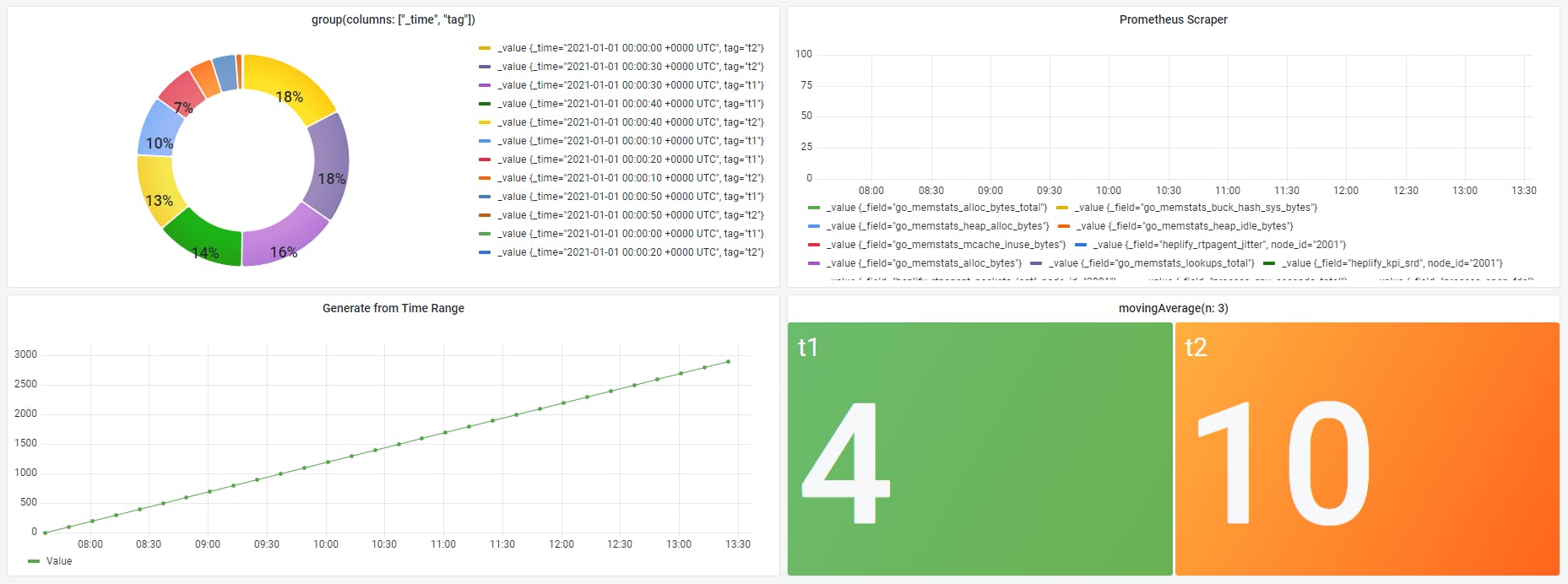
## 📊 Grafana
Next, configure your Fluxpipe as an `InfluxDB` **datasource in Grafana** _and go crazy!_
 ## ⬛ Curl
Last but not least, you can use `curl` or any other tool to query the **Fluxpipe CSV API**
```bash
curl -XPOST https://fluxpipe.fly.dev/api/v2/query -sS \
-H 'Accept:application/csv' \
-H 'Content-type:application/vnd.flux' \
-d 'import g "generate" g.from(start: 2022-04-01T00:00:00Z, stop: 2022-04-01T00:03:00Z, count: 3, fn: (n) => n)'
```
## ⬛ Curl
Last but not least, you can use `curl` or any other tool to query the **Fluxpipe CSV API**
```bash
curl -XPOST https://fluxpipe.fly.dev/api/v2/query -sS \
-H 'Accept:application/csv' \
-H 'Content-type:application/vnd.flux' \
-d 'import g "generate" g.from(start: 2022-04-01T00:00:00Z, stop: 2022-04-01T00:03:00Z, count: 3, fn: (n) => n)'
```
### It's that simple! 🎉
_Enjoy your free forever **[Fluxpipe](https://github.com/metrico/fluxpipe)** instance running on Fly!_
> For more details visits the **[Project Github](https://github.com/metrico/fluxpipe)** ⭐ ⭐ ⭐
Did this get you _excited_? Join our team, [we're hiring](mailto:info@qxip.net)!