

Grafana + WebRTC Conferencing
We all love Grafana. Millions of teams worldwide are using it to analyze and visualize data from a myriad of sources - our team uses it to develop our qryn stack all day.
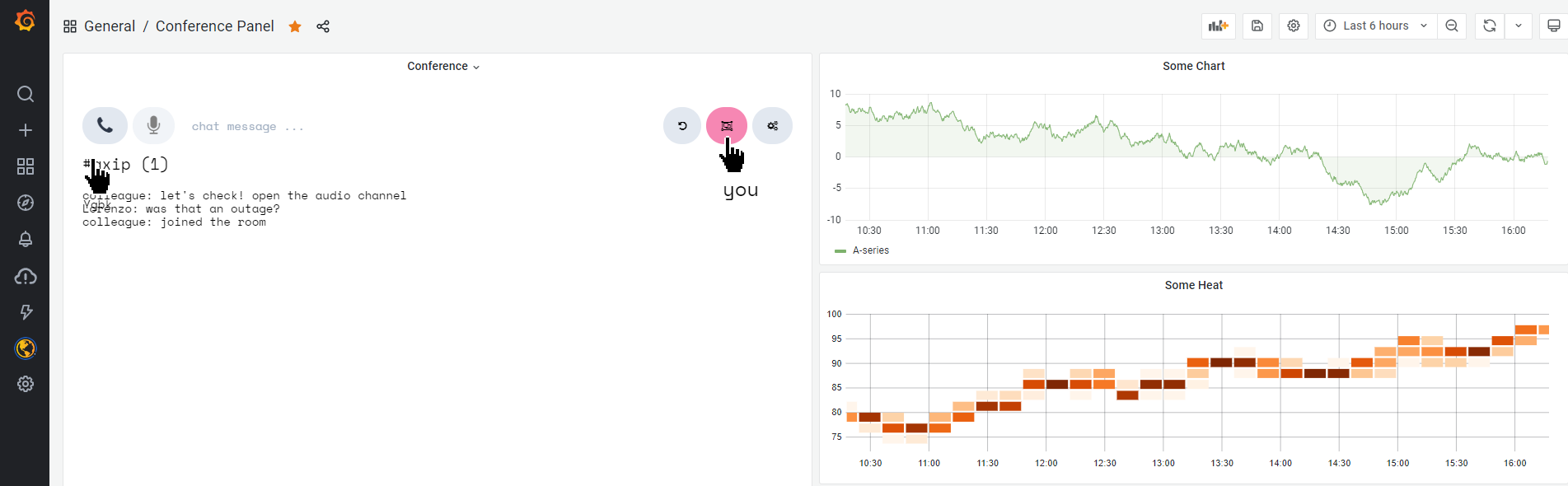
Now what if we could use Grafana to meet and discuss about data in real-time?
Why not? 🚀
Let's use WebRTC + iFrames to embed Conferencing capabilities into our Dashboards!
Requirements
- Login to your Grafana.com or local Grafana deployment
- Install the HTML Panel Plugin
Conference Panel Setup
- Select or Create a New Grafana Dashboard
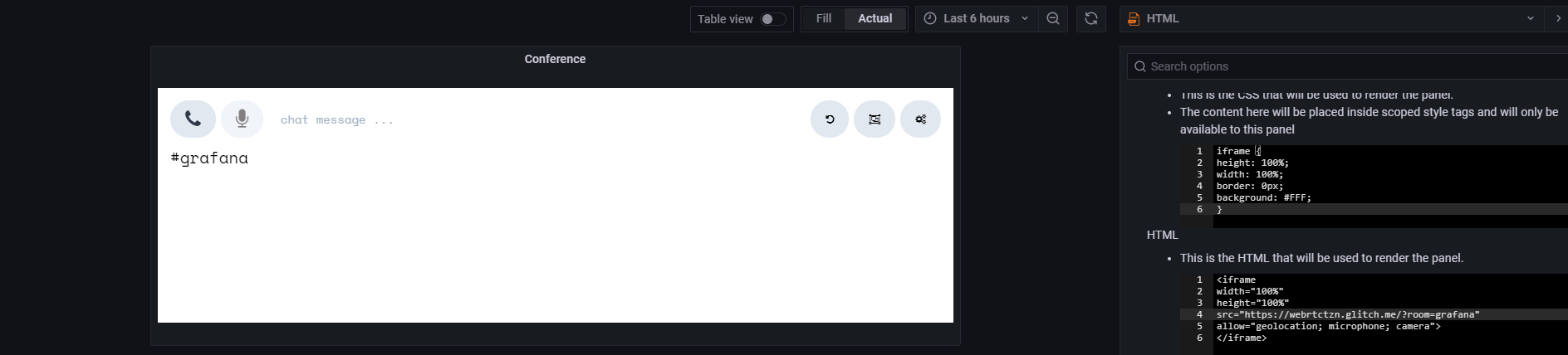
Add a new HTML Panel (download or follow manual instructions)
- Add the following iframe
CSSiframe { height: 100%; width: 100%; border: 0px; background: #FFF; } Last, add the
HTMLsection with either example belowchange
grafanarealtimeto your unique room name!MEETHING RTCTZN (decentralized/p2p for small teams)
<iframe width="100%" height="100%" src="https://rtctzn.com/?room=grafanarealtime" allow="microphone; camera" > </iframe>- JITSI Meet (centralized/sfu for large teams)
<iframe
width="100%"
height="100%"
src="https://meet.jit.si/grafanarealtime"
allow="microphone; camera" >
</iframe>
- Add the following iframe
You can use any WebRTC service, as long as it allows iframe embedding.
We can even have a meeting RIGHT NOW
This is not an image. It's a real p2p meeting with others on this page.
☝️☝️☝️ for audio and video open in a new tab
That's All!
Go ahead and invite your colleagues to your new Real-Time Conferencing Dashboard